Copilot is a great feature in Membership.io that lets your contacts and members interact with your content while watching it. Viewers can ask questions about the content, get answers, and explore additional insights.
You, as the content creator, can also use Copilot to explore how viewers interact with your content and discover what it can do. The sharing menu includes options to preview the Copilot experience yourself or share content with Copilot enabled.
What are the Copilot sharing options?
When you open the sharing menu for a file, you'll see options for sharing or previewing your content with Copilot.
-
Copy URL with Copilot: Copy a shareable link that lets viewers access your content with Copilot.
-
Preview with Copilot: Open a preview of your content with Copilot to explore its capabilities and see how viewers can interact with your content.
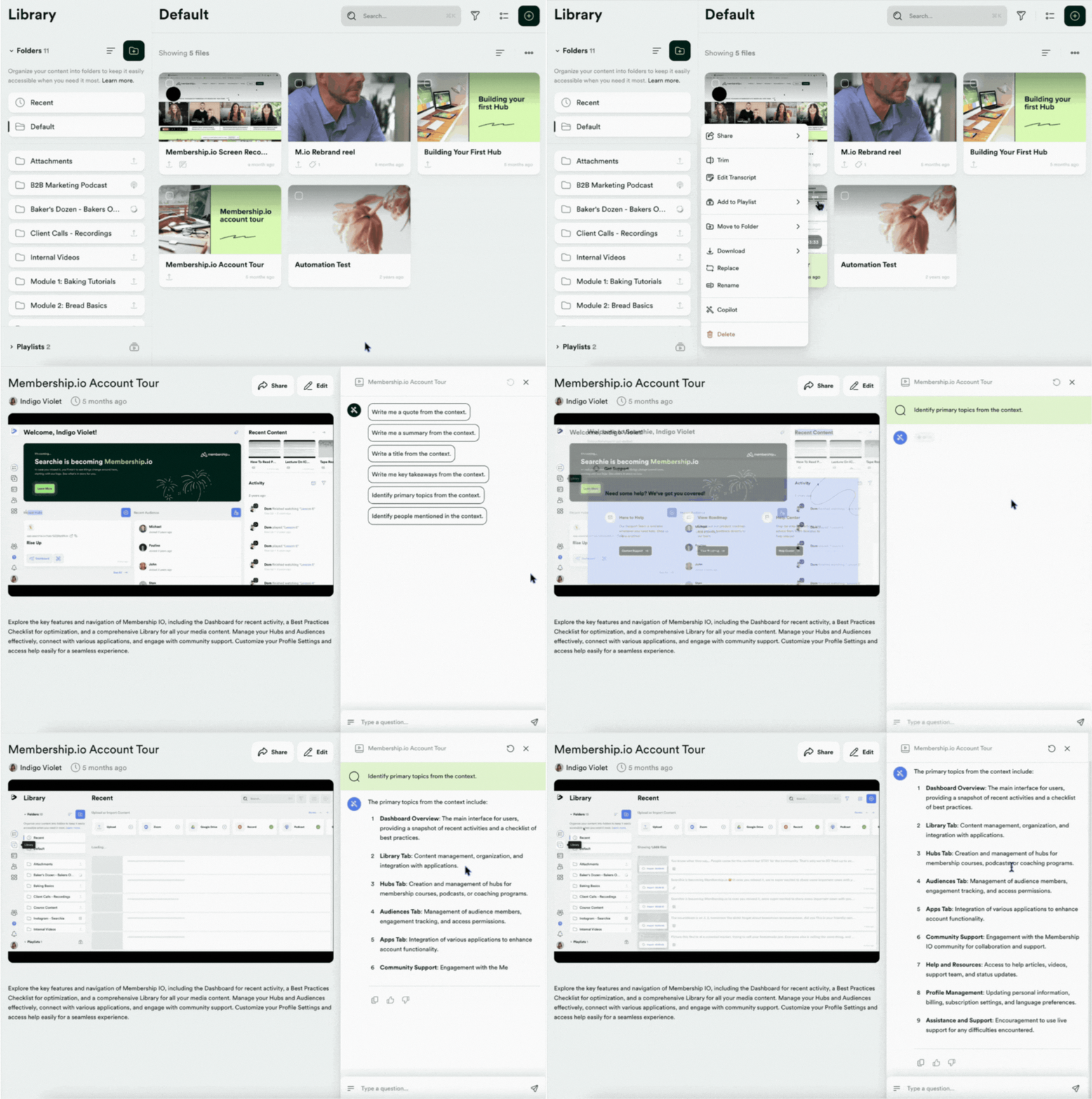
How to access Copilot when sharing content
To access the Copilot sharing options:
- Go to the file you want to share in your Membership.io Library.
- Open the menu options by clicking the three dots.
- Select Copy URL with Copilot to copy a shareable link, or select Preview with Copilot to explore the experience yourself.

Where can viewers access Copilot?
Copilot is available on the watch page when content is shared using a supported Copilot sharing option.