
What can I use this for?
The Feedback Space is a dedicated area within the Membership.io Community where members can share feature requests, product ideas, and UX improvement suggestions.
It enables open discussion between the Membership.io team and the community to allow members to explain use cases, add context, and build on each other’s ideas.
Step 1 – Access the Feedback Space
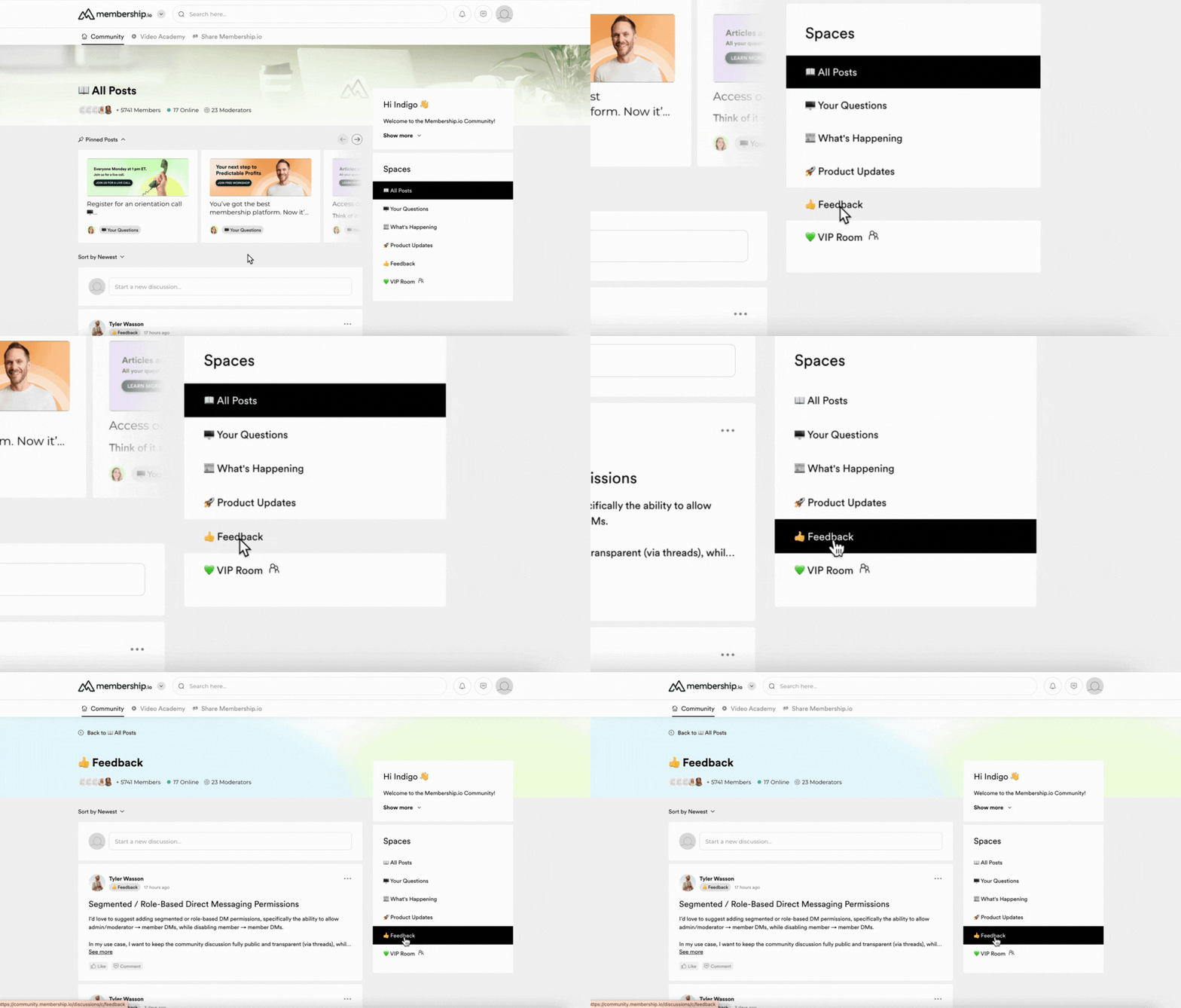
Inside the Community Hub, go to the Spaces pane on the right side and click Feedback.
Step 2 – interact with posts
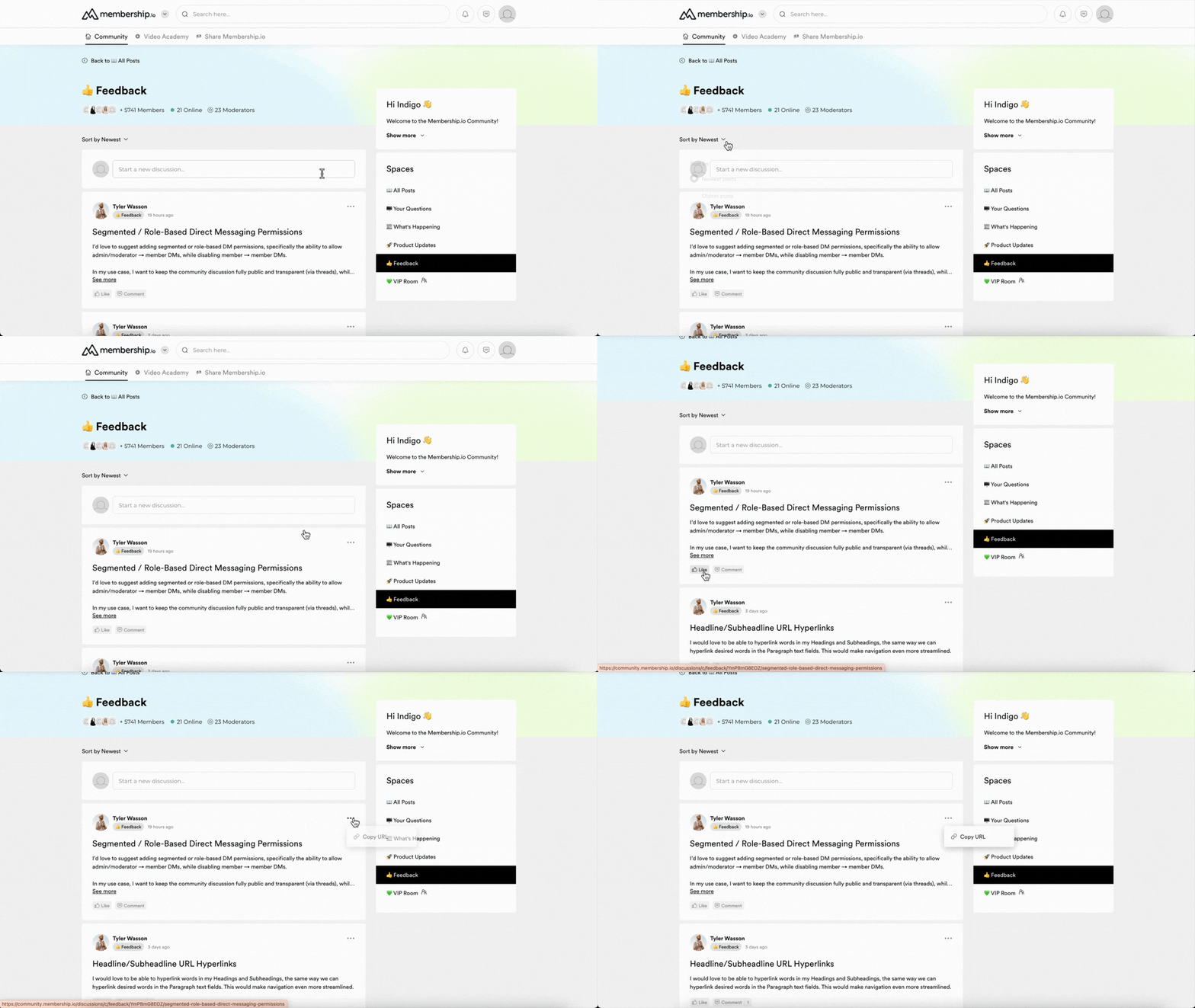
Inside the Feedback space, you can start to interact with existing posts, sort discussions, get a shareable link, and start your own discussion.
Step 3 – Start a discussion
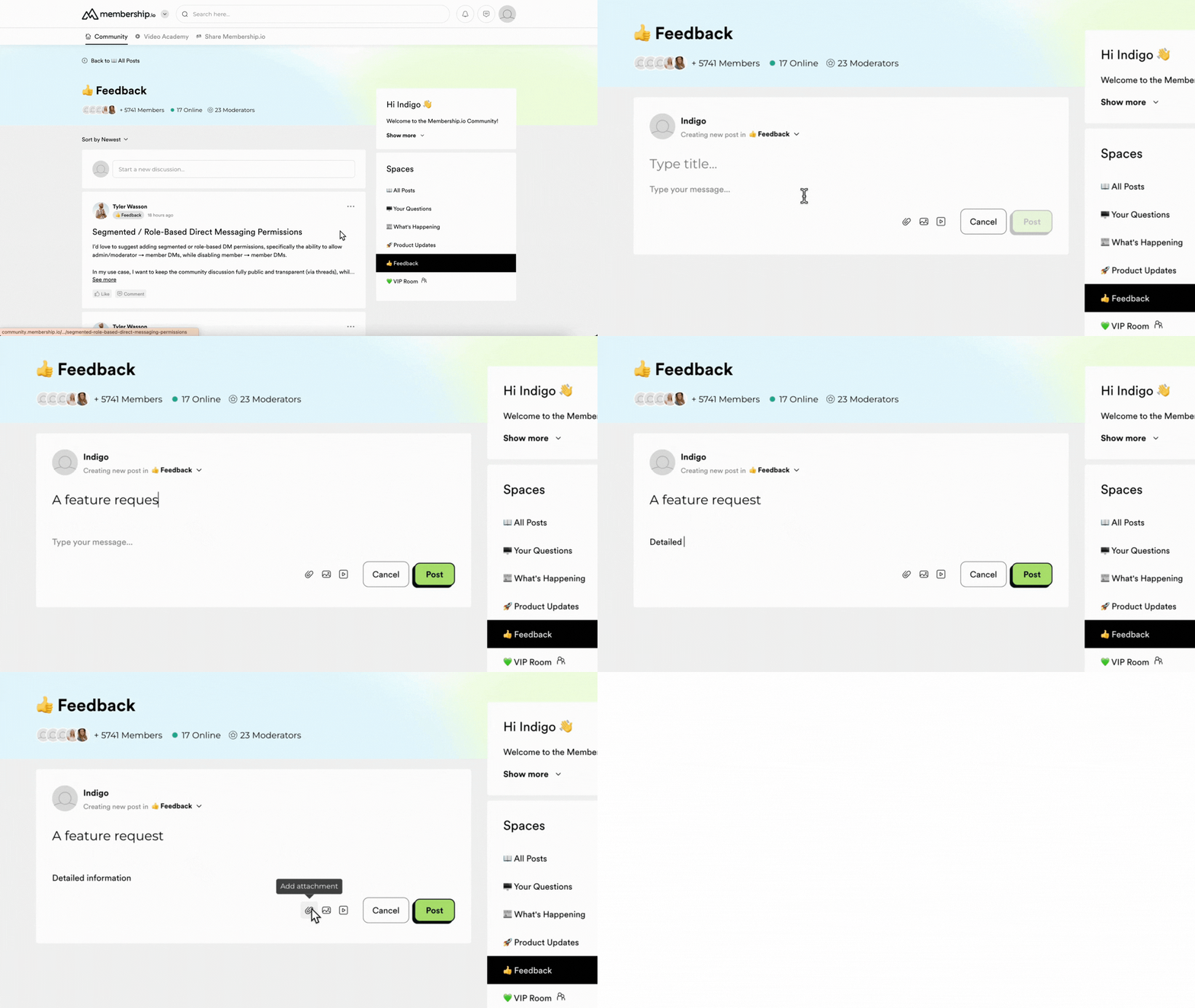
To make a post on the Feedback Space, click on the "Start a new discussion..." box. Enter a title for your post and type in your detailed message. You can optionally add attachments and media before clicking Post.
TIP: Before submitting a new request, consider browsing existing posts to see if a similar idea has already been shared.
Best practices for sharing feedback
When posting in the Feedback Space, it helps to:
-
Clearly describe the feature or improvement you’re suggesting
-
Explain the problem it would solve or the use case
-
Share examples or context where possible