The Copilot integration on Membership.io makes it easy to turn your content into new ideas, summaries, and assets using AI prompts. With built-in suggestions and customizable prompts, you can quickly create reusable workflows that save time and keep your outputs consistent.
How to access Copilot
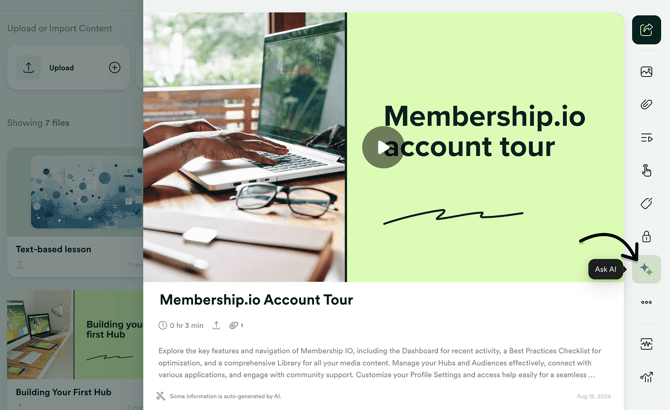
Open your content from the Library, then click Ask AI to start using Copilot.
Copilot features overview
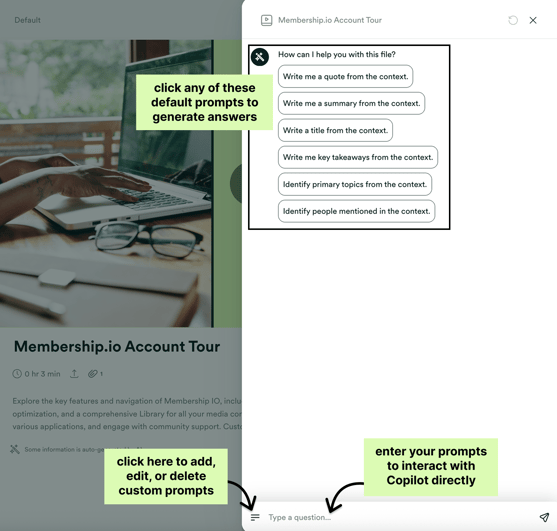
- Suggested prompts – We've included a built-in suggested prompts to help you quickly summarize your content or add context. When you click on a prompt, it’s automatically sent to Copilot to generate a response.
- Prompt box – Use this area to ask questions about your content or to enter prompts that generate new assets, such as copy, social media posts, and more.
- Custom prompts – Save your own prompts for quick access and reuse. You can edit them at any time or delete any prompts you no longer need.
Manage custom prompts
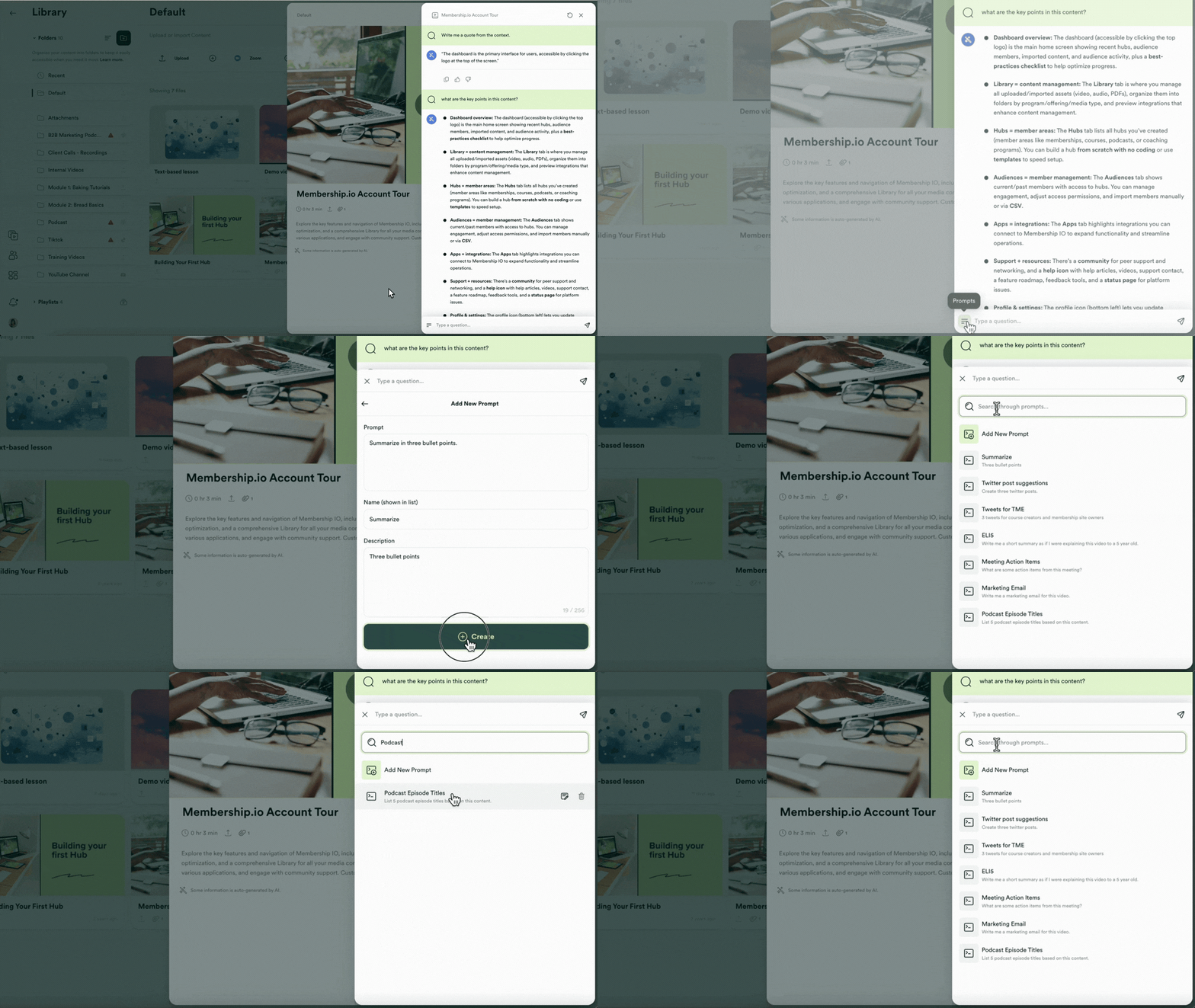
Click the custom prompts menu icon to view and manage your saved prompts. From here, you can configure new custom prompts, edit or delete existing ones, and quickly search through your prompts as your list grows.
Here's a quick view: