
What can I use this for?
Both types of playlists let you deliver a series of videos in a set order — but they differ in how they’re created, accessed, and shared.
Library Playlists vs. Hub-created Playlists
Library Playlists
-
Created inside your (global) Library
-
Can be shared via public link or embed
-
Can be imported into any Hub’s Content tab
Hub-created Playlists (created inside your Hub’s Content tab)
-
Created directly inside the Content tab of a specific Hub
-
Only viewable inside your Hub
-
Require members to log in to access them (when set to Private)
-
Are better for paid or gated content, since access is restricted to Hub members
Do Library and Hub-created Playlists sync?
No. Library Playlists and Hub-created Playlists do not sync with each other. Edits in one will not update the other.
If you want both versions to stay aligned, consider automating your organization using a Folder or a Content Tag.
Export Hub-created Playlists to your Library
If you want to move your Hub-created Playlist to your global Library, you can export it from the Content tab.
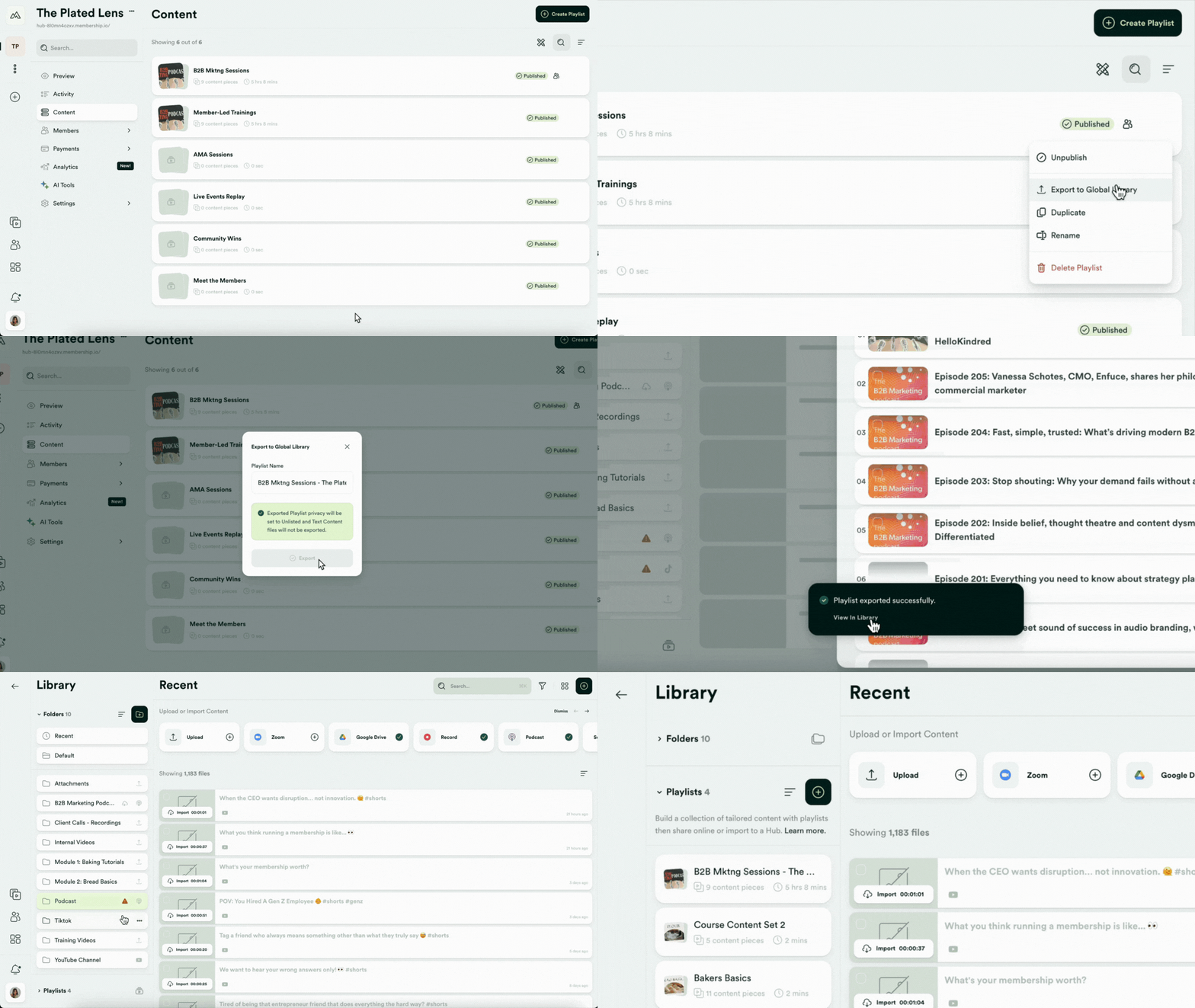
Click here to learn how to export Hub-created Playlists to your Library.
Import Library Playlists into your Hub
If you've created a Library Playlist and want to use it in your Hub, you can import it from the Content tab of your Hub:
When you click Import from Global Library, a panel will appear on the right where you can select a playlist from your global Library.
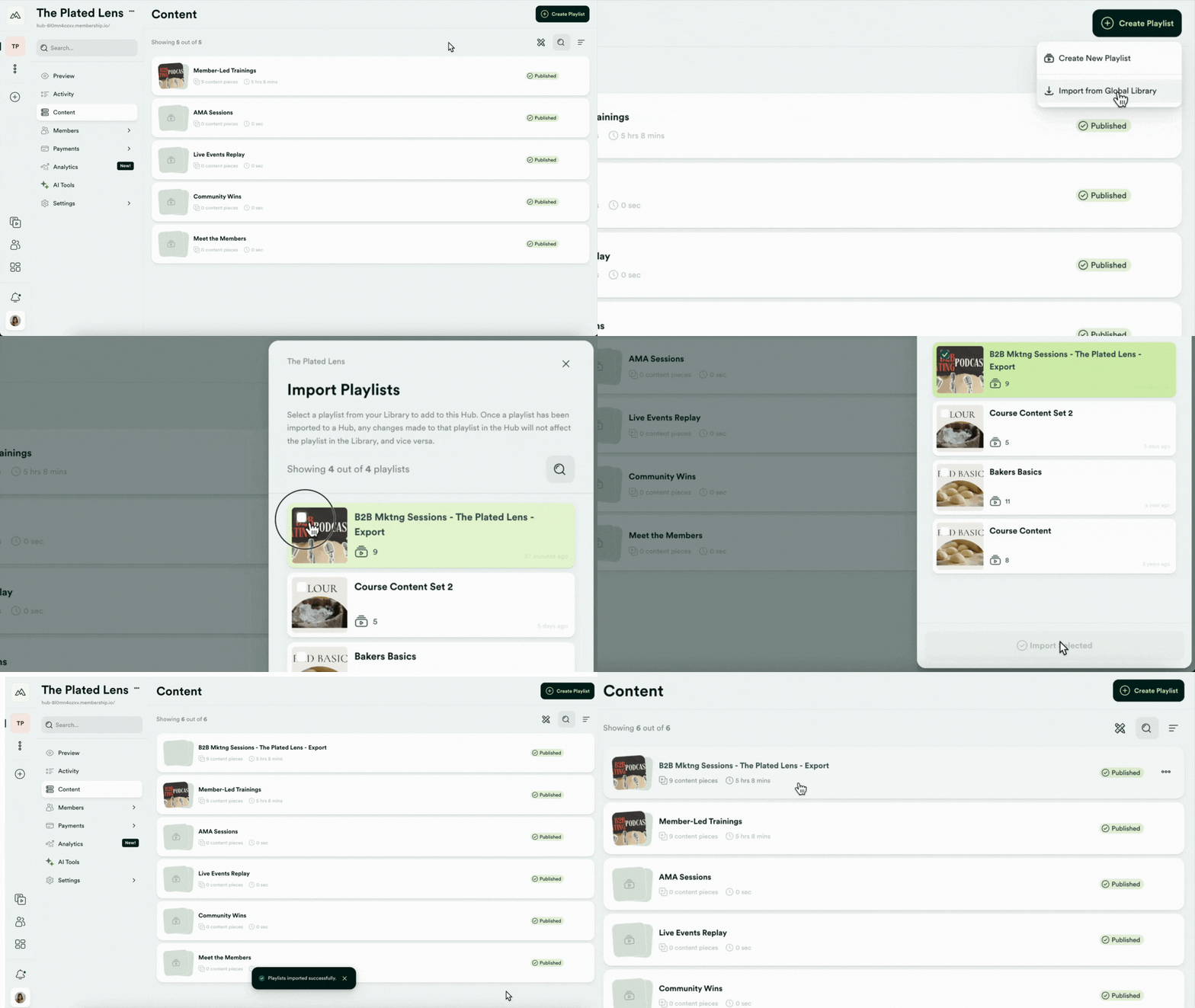
You can learn more about creating and managing Playlists here.