
Before you begin
Removing a person from your Contacts permanently deletes their contact profile from your Membership.io account.
Before you can delete a contact, you must first ensure their access from all Hubs they're a member of is removed.
Step 1 – Remove the person's Hub access
In your Contactslist, click the person's name to open their profile. Scroll to Hub Access and click Edit.
Click X next to the Hub to remove the member's access.
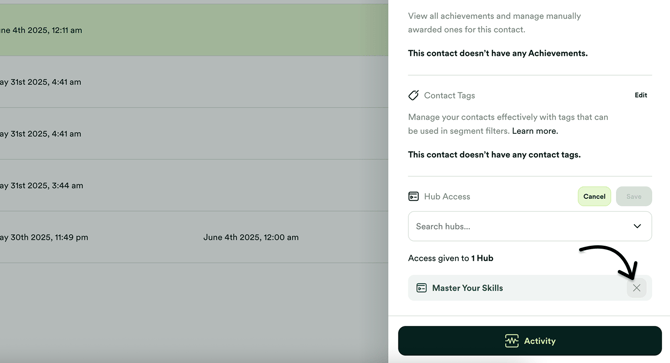
The person will immediately lose access to the selected Hub.
Step 2 – Delete the Contact
After removing the person's Hub access, go back to your Contacts list. Click the three-dot menu icon next to the person you want to delete, and select Delete Contact.
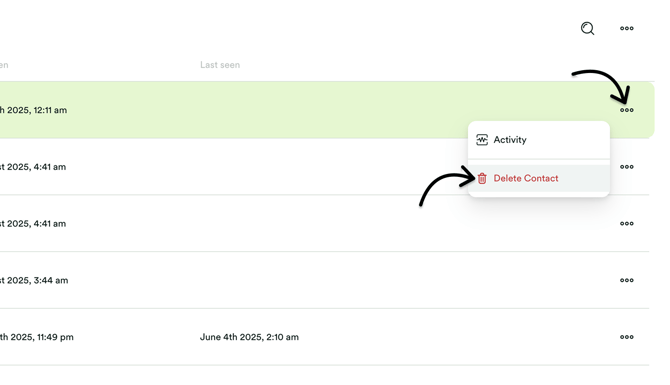
The contact is removed from your Membership.io account and will no longer appear in your Contacts list.