
If you need to update the payment method for your Membership.io subscription, e.g., because your current card has expired or a payment has failed, follow these steps to add a new card.
Step 1 – Go to the Payment Settings
Log into your account. Click on your profile picture in the bottom-right corner and select Settings.
Under Billing, click on Payments.
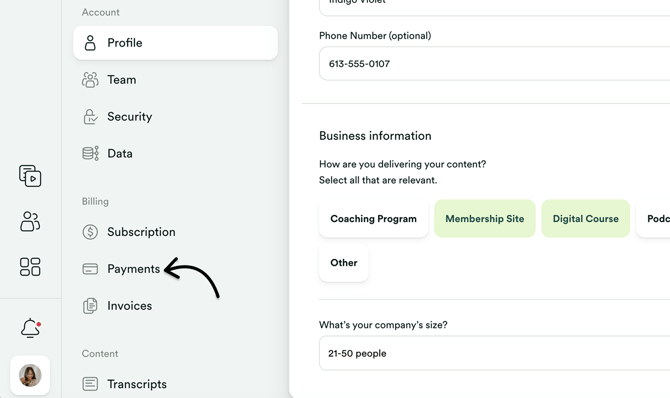
You can also access the Payment Settings here.
Step 2 – Enter new card info
On the Payment Method screen, click Use a different card.
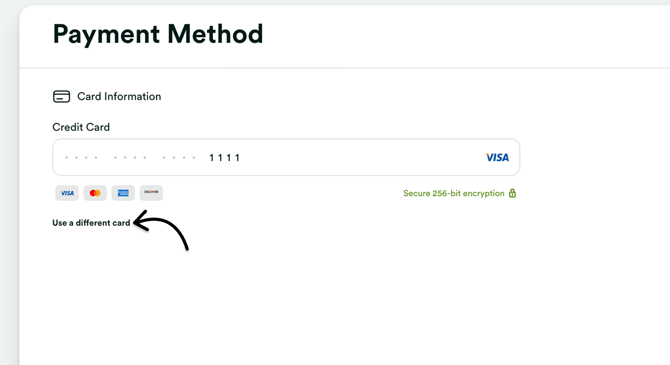
Update the credit card number, expiry date, and the CVC.
Step 3 – Apply your changes
Save your changes by clicking the Save button at the top.
That's it! If you have questions, feel free to get in touch with us at support@membership.io.