
Yes! If you're subscribed to Grow plan or higher, you can schedule when your posts appear on your community/discussions page.
Step 1 – Create a post
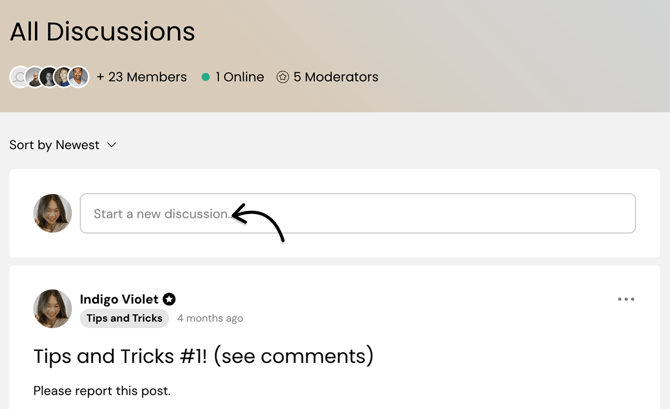
To do that, access your Community page and click the "Start a new discussion..." box to start creating a new post. You can add attachments, images, or link to a video.
Step 2 – Add a schedule to your post
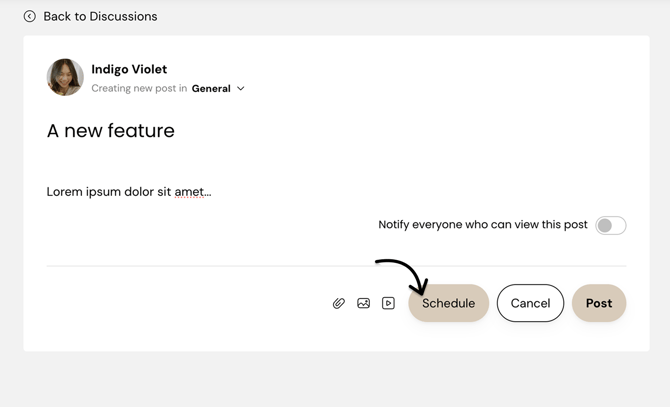
Click the Schedule button.
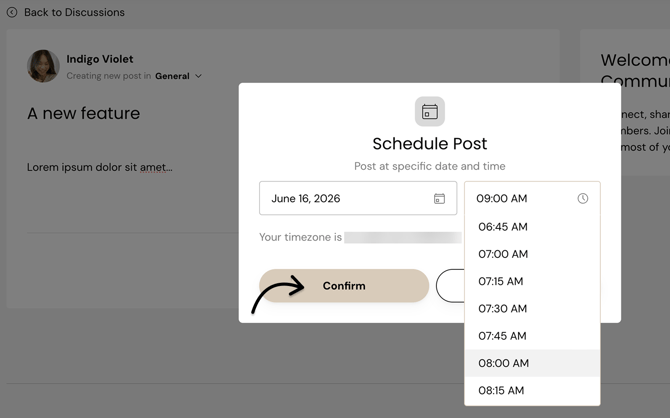
Choose your preferred date and time, then click Confirm to schedule your post.
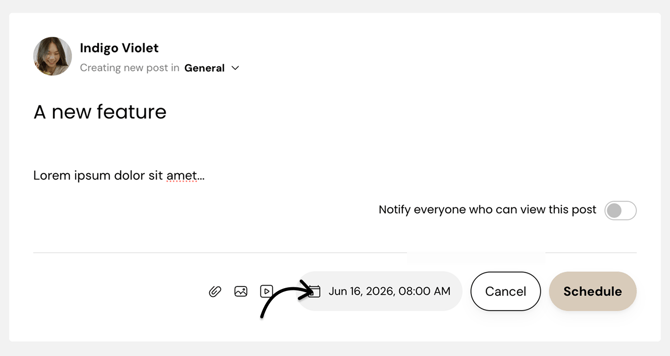
Your post will publish at the time you’ve scheduled. You can update the scheduled date or time any time before it goes live to your members.
To learn more about managing community posts and comments, such as broadcasting a post and managing notifications, please see Create and manage community posts and comments.
💡 Community management tips
-
Schedule content in advance to maintain a consistent posting schedule.
-
Time your posts around when your members are most active to encourage engagement.
-
Use scheduled posts for announcements, event reminders, and recurring discussion prompts.
-
Review scheduled content before it publishes to ensure all information is up to date.