
🧰 What You Will Need:
A Private Hub
There are several ways to grant people access to your Hub in Membership.io. This article walks through each option, from manually adding members to collecting payments and automating access.
Add members to your account
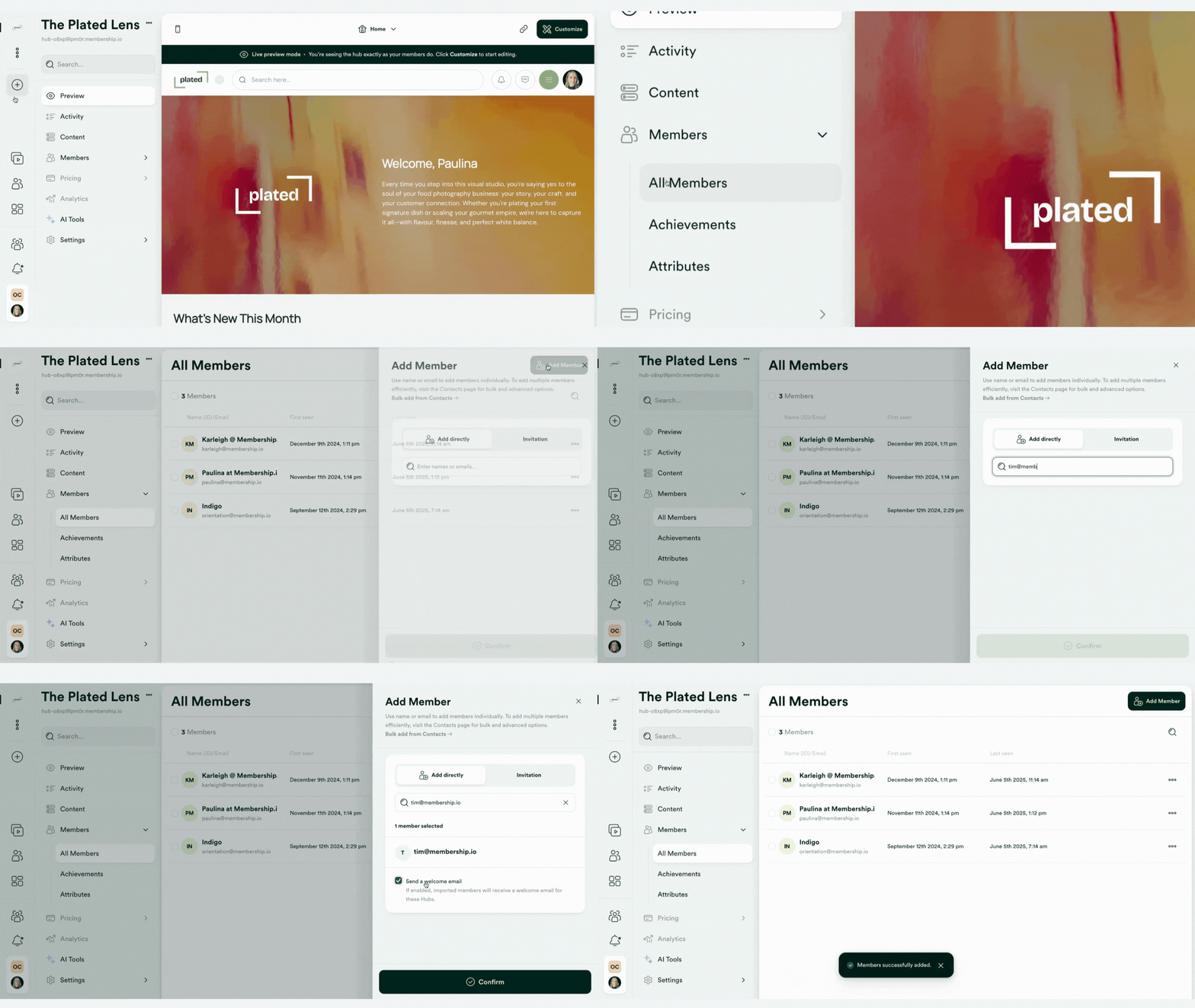
Manually adding users is the fastest way to create test accounts or add users individually.
You can add people inside the Members menu of your Hub by either adding them directly or sending them an invitation.
Allow members to sign up through your Hub
If you're looking to let your members sign up for your Hub, you can enable native registration to allow your members to register for your Hub. If you have your Stripe integration connected, you can also collect payments using this process.
Import your members using a CSV file
If you have existing customers you want to import into your Hub, you can use a CSV file to upload a list of users into your Membership.io Contacts list and grant them access to a Hub. You can also use the import tool to update existing profiles.
Collect payments using Stripe
This option is the best fit if you're looking to collect payments and grant Hub access to your members in one streamlined process.
Configure the payment page and payment gateway settings to collect payments from your members and automate access to your Hub.
Collect payments using an external cart
This option is the best route to take if you're looking to use another platform to collect emails or payments in exchange for Hub access.
You can grant users access to a Membership.io Hub after they purchase your product(s) using a Zap.
Pass Kit customers into Membership.io
Connect your Kit account to easily sync subscriber data with Membership.io, allowing you to give Hub access to them as your members.
Frequently asked question(s)
How do I provide someone free access if they were previously registered?
You can do any of these options:
-
Contact Membership.io support at help@membership.ioto disconnect the member’s profile from the Stripe gateway. This allows them to retain their Hub data and activity history while granting free access.
-
Remove and re-add the member manually. You can delete them from your Contact list and then add them back to the Hub with free access. This option resets their previous data and activity, since their original profile is removed.